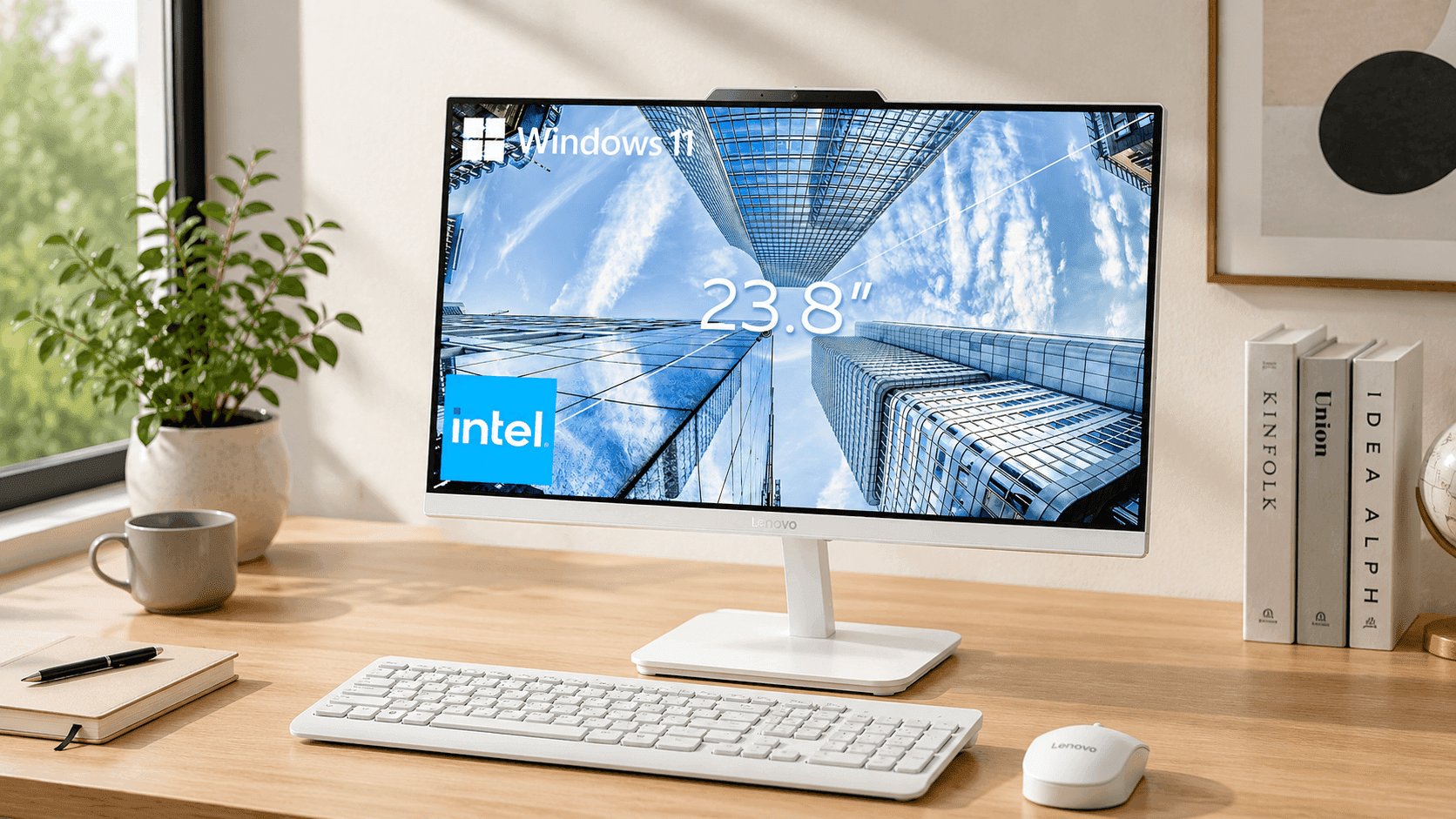
A desk covered in cables can make even simple tasks feel more complicated than they need to be. The Lenovo 24" FHD All-in-One Desktop Computer helps solve that problem by combining a monitor and computer into one streamlined device. Designed for home offices, students, remote workers, and everyday users, this all-in-one desktop PC delivers practical performance while keeping your workspace clean and organized.
The system offers several hardware configurations, allowing you to choose a setup that fits your workload and budget. From basic web browsing and document editing to multitasking with multiple applications, Lenovo provides options that can meet a variety of computing needs. Combined with modern connectivity, fast SSD storage, and built-in video conferencing features, this desktop offers a balanced mix of convenience and functionality.
If you are searching for a space-saving desktop solution that delivers dependable performance without the complexity of a traditional tower PC,
Lenovo 24" FHD All-in-One Desktop Computer Features and Specifications
The Lenovo 24" FHD All-in-One Desktop Computer combines a sleek design with practical hardware choices. Its compact footprint helps reduce desk clutter while still providing the features most users need for work, study, and entertainment.
|
Feature |
Specification |
|
Display |
23.8-inch Full HD IPS Display |
|
Resolution |
1920 x 1080 |
|
Brightness |
250–300 nits |
|
Refresh Rate |
60Hz–100Hz (varies by model) |
|
Processor Options |
Intel N100, Core i3, Core i5, Core i7 |
|
Memory |
8GB, 16GB, or 32GB RAM |
|
Storage |
256GB to 2TB PCIe NVMe SSD |
|
Graphics |
Intel UHD Graphics or Intel Iris Xe |
|
Wireless Connectivity |
Wi-Fi 6 / Wi-Fi 6E, Bluetooth 5.2 |
|
Webcam |
HD or Full HD with Privacy Shutter |
|
Audio |
Stereo Speakers, Dolby Audio on select models |
|
Dimensions |
21.23 x 16.64 x 7.28 inches |
|
Weight |
Approximately 9.4–15 pounds |
Display Quality for Daily Productivity
The 23.8-inch Full HD IPS display is one of the strongest features of this system. With a 1920 x 1080 resolution, text appears sharp, spreadsheets remain easy to read, and videos look crisp.
The anti-glare coating helps reduce reflections in bright rooms, making long work sessions more comfortable. IPS technology also provides wide viewing angles, so colors and image quality stay consistent from different positions.
During daily use, the screen performs well for:
- Office applications
- Online learning
- Web browsing
- Video streaming
- Video meetings
Users who spend several hours in front of a monitor may appreciate the balanced brightness and clear image quality offered by this Full HD IPS display.
Performance Options for Different Users
One of the advantages of this all-in-one desktop PC is the variety of available configurations.
Entry-Level Performance
Models equipped with the Intel N100 processor are suitable for:
- Web browsing
- Word processing
- Online classes
Mid-Range Productivity
Systems featuring an Intel Core i5 desktop processor and 16GB RAM provide a strong balance of performance and value. In practical use, this configuration handles:
- Multiple browser tabs
- Microsoft Office applications
- Video conferencing
- Light photo editing
Many productivity-focused users will find this setup sufficient for daily workloads.
Higher-End Configurations
Core i7 models with larger memory capacities are better suited for:
- Heavy multitasking
- Large spreadsheets
- Business applications
- Creative workloads
Fast SSD Storage Improves Responsiveness
The move from traditional hard drives to SSD storage makes a noticeable difference in everyday performance.
Available storage capacities range from 256GB to 2TB, allowing users to choose the right amount of space for documents, photos, videos, and applications.
Benefits of SSD storage include:
- Faster startup times
- Quicker application launches
- Improved file transfer speeds
- Better overall responsiveness
In day-to-day testing, programs open quickly and system navigation feels smooth compared to older hard-drive-based desktops.
Graphics and Entertainment Performance
The Lenovo 24" FHD All-in-One Desktop Computer uses integrated Intel UHD Graphics or Intel Iris Xe graphics depending on the configuration.
For its intended audience, performance remains solid for:
- Streaming Netflix and YouTube
- Web-based applications
- Productivity software
- Casual entertainment
However, users interested in modern AAA gaming, professional 3D rendering, or advanced video production should understand the limitations of integrated graphics. Dedicated graphics systems remain a better choice for those tasks.
Connectivity and Networking Features
Modern connectivity plays an important role in any home office computer.
This desktop includes:
- USB 2.0 ports
- USB 3.2 ports
- HDMI-Out
- HDMI-In on select models
- Gigabit Ethernet
- 3.5mm audio jack
- Bluetooth 5.2
- Wi-Fi 6 or Wi-Fi 6E
Wi-Fi 6 technology offers faster wireless speeds and improved performance when multiple devices share the same network.
Built-In Video Conferencing Features
Remote work and online learning continue to drive demand for quality communication tools.
This video conferencing computer includes:
- HD or Full HD webcam
- Physical webcam privacy shutter
- Dual-array microphones
- Integrated stereo speakers
The privacy shutter provides added peace of mind by allowing you to physically block the camera when it is not in use.
Video quality is generally clear enough for:
- Zoom meetings
- Microsoft Teams calls
- Google Meet sessions
- Virtual classrooms
For many users, there is no immediate need to purchase additional accessories.
Real-World Advantages
After evaluating the overall design and feature set, several strengths stand out.
Pros
- Space-saving all-in-one design
- Clean and organized workspace
- Sharp Full HD IPS display
- Fast SSD storage
- Multiple processor options
- Integrated webcam and speakers
- Strong wireless connectivity
- Easy setup process
These advantages make the system particularly appealing for home offices, students, and family computing environments.
Limitations to Consider
No desktop computer is perfect, and there are a few considerations worth noting.
Cons
- Limited upgrade options
- Integrated graphics restrict gaming performance
- Repairs may require professional service
- Less customization compared to traditional desktop towers
Users who frequently upgrade components may prefer a standard desktop PC instead.
Price and Value
Amazon pricing frequently varies based on processor, memory, and storage configurations. Recent listings generally place the Lenovo 24" FHD All-in-One Desktop Computer between $549 and $799, with Intel Core i5 desktop models and 16GB RAM often appearing in the $650 to $750 range.
For many buyers, these mid-range configurations offer the best balance of performance and affordability.
When compared with purchasing a separate monitor, desktop tower, webcam, speakers, and wireless accessories, the all-in-one design can provide strong overall value.
Who Should Buy the Lenovo 24" FHD All-in-One Desktop Computer?
This system is a good fit for:
- Remote workers
- Students
- Families
- Small business users
- Everyday home computer users
Users seeking a dedicated gaming machine or professional creative workstation may want to explore alternatives with dedicated graphics hardware.
Final Thoughts
The Lenovo 24" FHD All-in-One Desktop Computer delivers a practical combination of performance, simplicity, and workspace efficiency. Its Full HD IPS display, SSD storage, modern wireless connectivity, and integrated video conferencing features make it a strong option for productivity-focused users.
The limited upgradeability may be a drawback for some buyers, though many users will appreciate the clean design and hassle-free setup. If your priority is a dependable home office computer that handles everyday tasks comfortably, this Lenovo system deserves consideration.
Before making a purchase, check the latest configuration options and pricing on Amazon. It is also worth comparing similar all-in-one desktop PC models to find the setup that best matches your needs and budget.