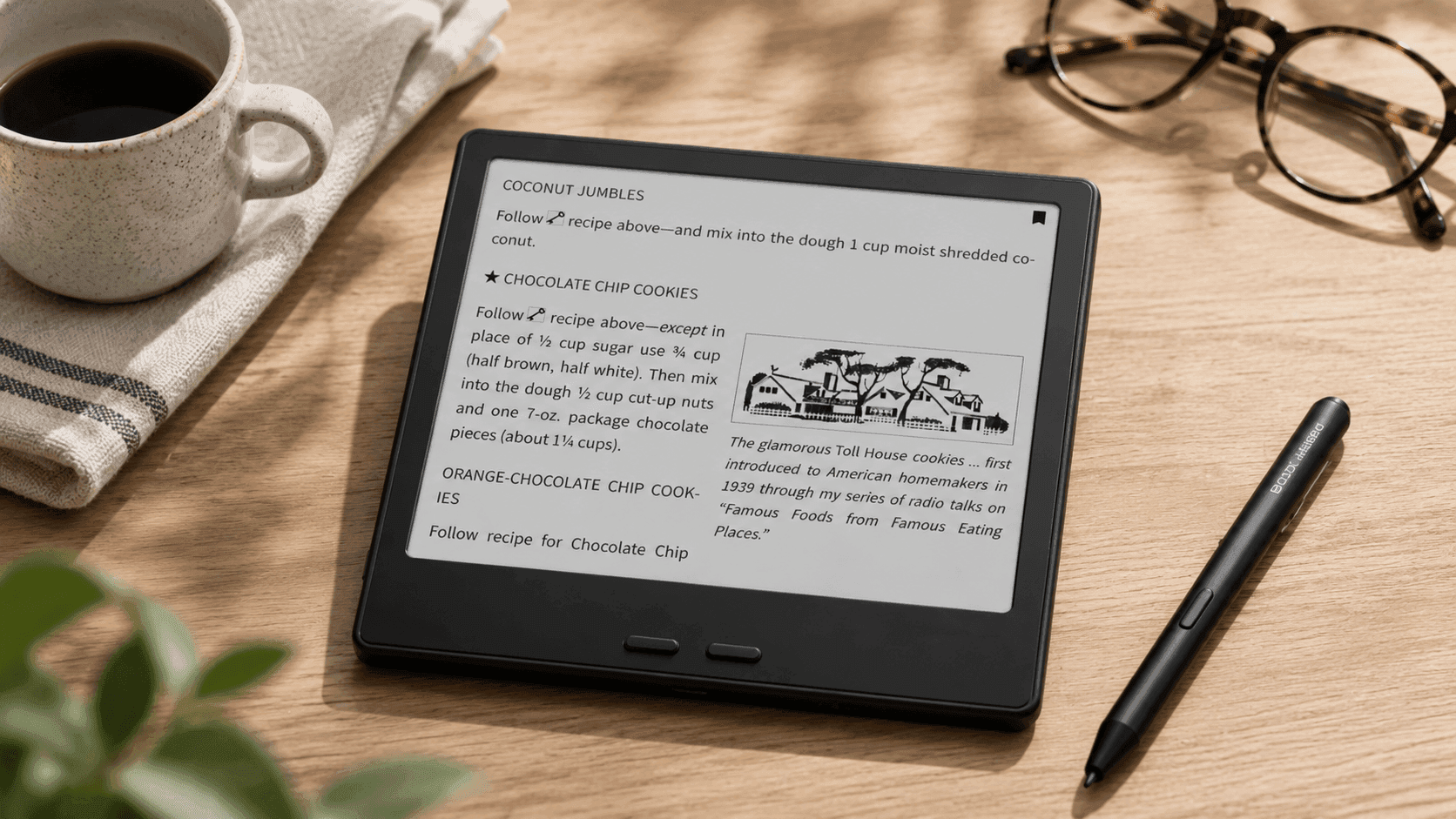
A great eReader should disappear into the background and let the content take center stage. That is exactly where the BOOX Tablet Go 7 B/W E Ink Tablet shines. Designed for readers who want more than a basic ebook device, it combines a crisp E Ink display, Android app support, note-taking capabilities, and portable hardware in a lightweight package.
Unlike many dedicated eReaders that lock you into a single bookstore, the BOOX Go 7 gives you access to multiple reading platforms through Android 13 and the Google Play Store. You can switch between Kindle, Kobo, Libby, Audible, and other apps without carrying multiple devices. Add expandable storage, physical page-turn buttons, and optional stylus support, and you get a versatile device that fits readers, students, professionals, and commuters alike.
If you're searching for a compact eReader that balances reading comfort with modern flexibility, this model deserves a closer look.
BOOX Tablet Go 7 B/W E Ink Tablet: Key Features and Specifications
|
Feature |
Specification |
|
Display |
7-inch E Ink Carta 1300 display |
|
Resolution |
1680 × 1264 |
|
Pixel Density |
300 PPI |
|
Processor |
Octa-core |
|
RAM |
4GB |
|
Storage |
64GB |
|
Expandable Storage |
microSD card support |
|
Operating System |
Android 13 |
|
Connectivity |
Wi-Fi, Bluetooth 5.1 |
|
Battery |
2,300mAh |
|
Weight |
195g |
|
Dimensions |
156 × 137 × 6.4 mm |
|
Charging |
USB-C |
|
Stylus Support |
BOOX InkSense stylus (sold separately) |
Display Quality and Reading Experience
The standout feature of the BOOX Go 7 is its E Ink Carta 1300 display. The 300 PPI resolution produces sharp text that closely resembles printed paper. During extended reading sessions, text remains crisp and easy on the eyes.
In practical use, page turns feel responsive, and small fonts stay readable without excessive zooming. PDF documents, technical manuals, and research papers benefit from the sharp screen, especially when reading detailed text.
The adjustable front lighting includes both warm and cool tones. This allows you to tailor the display for daytime reading, evening use, or dim environments. The result is a comfortable reading experience across different lighting conditions.
What Works Well
- Excellent text clarity
- Strong contrast for black-and-white content
- Adjustable warm and cool lighting
- Easy outdoor visibility in sunlight
Potential Drawback
- No color display for comics or magazines that rely heavily on color content
Android 13 Opens Up More Reading Options
One of the biggest advantages of this Android 13 eReader is its access to the Google Play Store.
Instead of being tied to one ecosystem, you can install:
- Kindle
- Kobo
- Libby
- Audible
- Everand (formerly Scribd)
- Various PDF and document readers
This flexibility is a major reason many users choose BOOX devices over traditional Kindle models.
For users who borrow ebooks from libraries, access academic documents, or use multiple ebook stores, the BOOX Go 7 simplifies everything into one device.
Performance and Everyday Use
The octa-core processor and 4GB of RAM handle reading apps smoothly. Launching books, navigating menus, and switching between applications feels responsive for an E Ink device.
While it won't replace a traditional tablet for video or gaming, it performs well within its intended role as a reading and productivity device.
During testing by multiple reviewers, page refreshes remain quick, and Android apps are generally stable on the device.
Compact Design for Travel and Daily Carry
At only 195 grams, the 7-inch eReader is easy to hold for long periods.
The slim profile makes it easy to slip into:
- A jacket pocket
- A backpack
- A messenger bag
- A travel carry-on
Physical page-turn buttons on the side improve one-handed reading. Many readers still prefer dedicated buttons because they reduce screen taps and create a more book-like experience.
For commuters and frequent travelers, this design feels particularly practical.
Note-Taking with the BOOX InkSense Stylus
The BOOX Go 7 supports the BOOX InkSense stylus, which is sold separately.
With 4,096 pressure levels, the stylus enables:
- Handwritten notes
- Margin annotations
- Quick sketches
- Document markups
Students can annotate textbooks, while professionals can review PDFs and sign documents directly on the device.
A limitation worth noting is the added cost. The stylus is not included in the base package, so users interested in writing features should budget for the accessory.
Storage and File Compatibility
The built-in 64GB storage already holds a substantial library of books and documents.
If your collection grows larger, the expandable storage eReader design allows you to add a microSD card for additional capacity.
The BOOX Go 7 supports a wide range of formats, including:
Document Formats
- EPUB
- MOBI
- AZW3
- DOCX
- TXT
Comic Formats
- CBR
- CBZ
Image Formats
- JPG
- PNG
Audio Formats
- MP3
- WAV
This broad compatibility eliminates much of the file conversion work that users encounter with more restrictive platforms.
Audio Features and Audiobook Support
The built-in speaker adds another layer of flexibility.
You can:
- Listen to Audible titles
- Use text-to-speech functions
- Connect Bluetooth headphones
- Stream audiobook content
While the speaker quality is functional rather than exceptional, it performs well for casual audiobook listening.
Battery Life: What to Expect
The 2,300mAh battery performs well during normal reading.
For users who primarily read ebooks:
For users who frequently:
- Browse online
- Use multiple Android apps
- Stream audiobooks
- Keep Wi-Fi active
Battery drain becomes more noticeable.
This trade-off is common among Android-based E Ink devices because they offer significantly more functionality than basic eReaders.
Price and Value
At launch, BOOX announced the Go 7 at $249.99, while current Amazon listings commonly show pricing around $269.99 depending on availability and seller inventory.
Who Gets the Most Value?
- Readers using multiple ebook ecosystems
- Students handling PDFs and annotations
- Professionals reviewing documents
- Frequent travelers
- Audiobook listeners
Who Might Prefer Other Options?
- Readers who only use Kindle books
- Buyers seeking the lowest-cost eReader
- Users who do not need Android app support
Pros and Cons
Pros
✔ Sharp 300 PPI display
✔ Android 13 with Google Play Store access
✔ Physical page-turn buttons
✔ microSD expansion support
✔ Wide file format compatibility
✔ Optional handwriting and annotation features
✔ Lightweight and travel-friendly
Cons
✘ Stylus sold separately
✘ More expensive than entry-level Kindle models
✘ Android features can reduce battery life faster
✘ Software settings may feel overwhelming for new users
Final Thoughts
The BOOX Tablet Go 7 B/W E Ink Tablet offers a compelling mix of reading comfort, Android flexibility, and productivity features in a highly portable package. The crisp E Ink Carta 1300 display, physical page-turn buttons, expandable storage, and Google Play access create an experience that goes far beyond standard ebook readers.
That extra flexibility comes with a higher price and a slightly steeper learning curve. Still, if you regularly use multiple reading platforms, annotate documents, or want a compact device that handles far more than ebooks, the Go 7 delivers strong value.
Before making a decision, check the latest Amazon pricing and compare it with alternatives like Kindle and Kobo models. It is also worth exploring related BOOX devices if you want a larger screen, color E Ink technology, or more advanced note-taking features.